

Thank you for signing up to compete in the 2027 STARTedUP Challenge!
You will receive an email from Canvas with the course invitation in the next fifteen minutes. You are required to complete your Canvas registration to participate in the STARTedUP Challenge.
After you receive the Canvas email…
1. Click the “Click here to finish the registration process” link to launch the portal.
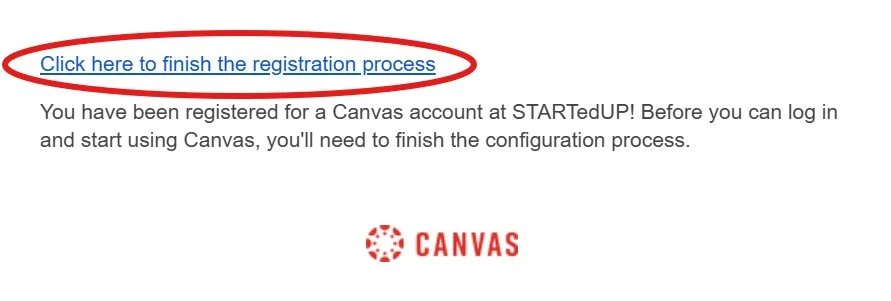
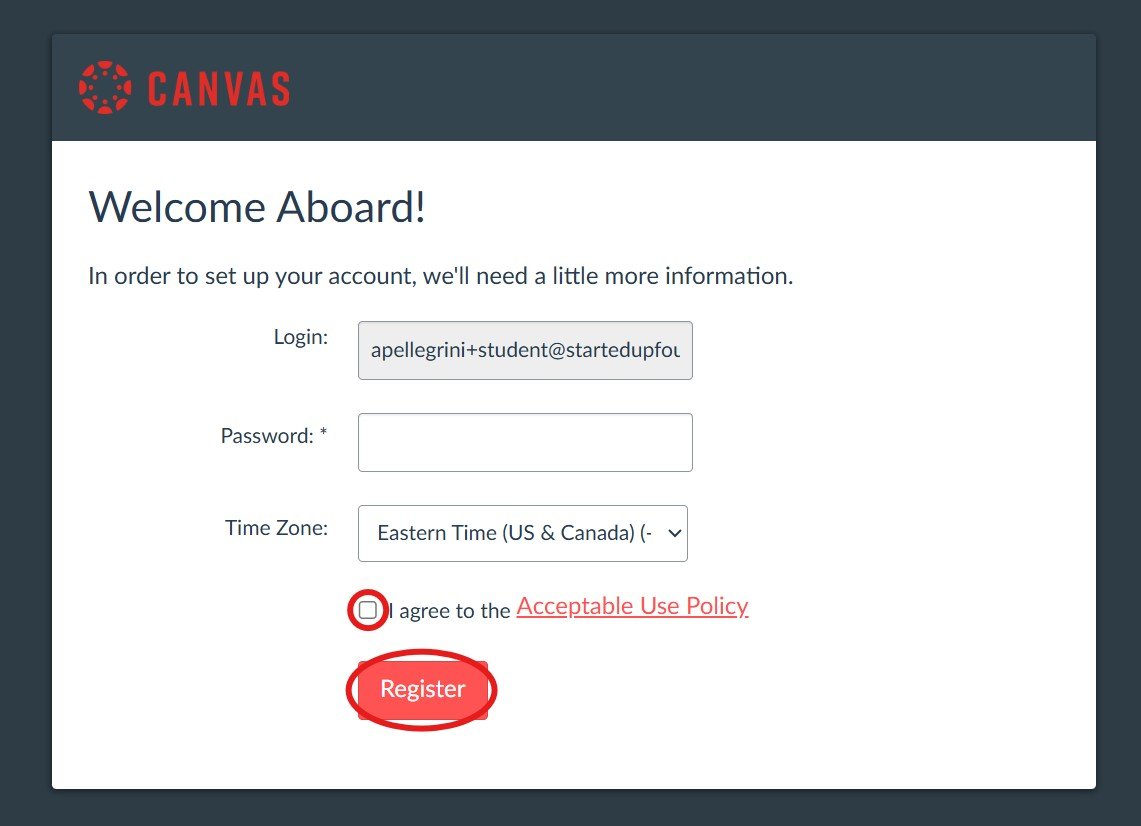
2. Make sure you choose your “Login” with your personal email even if you already have an existing account for schoolwork. Any other Canvas accounts will not work properly within our system.
Create a password, click “I agree to the Acceptable Use Policy”, then click the red “Register” button.
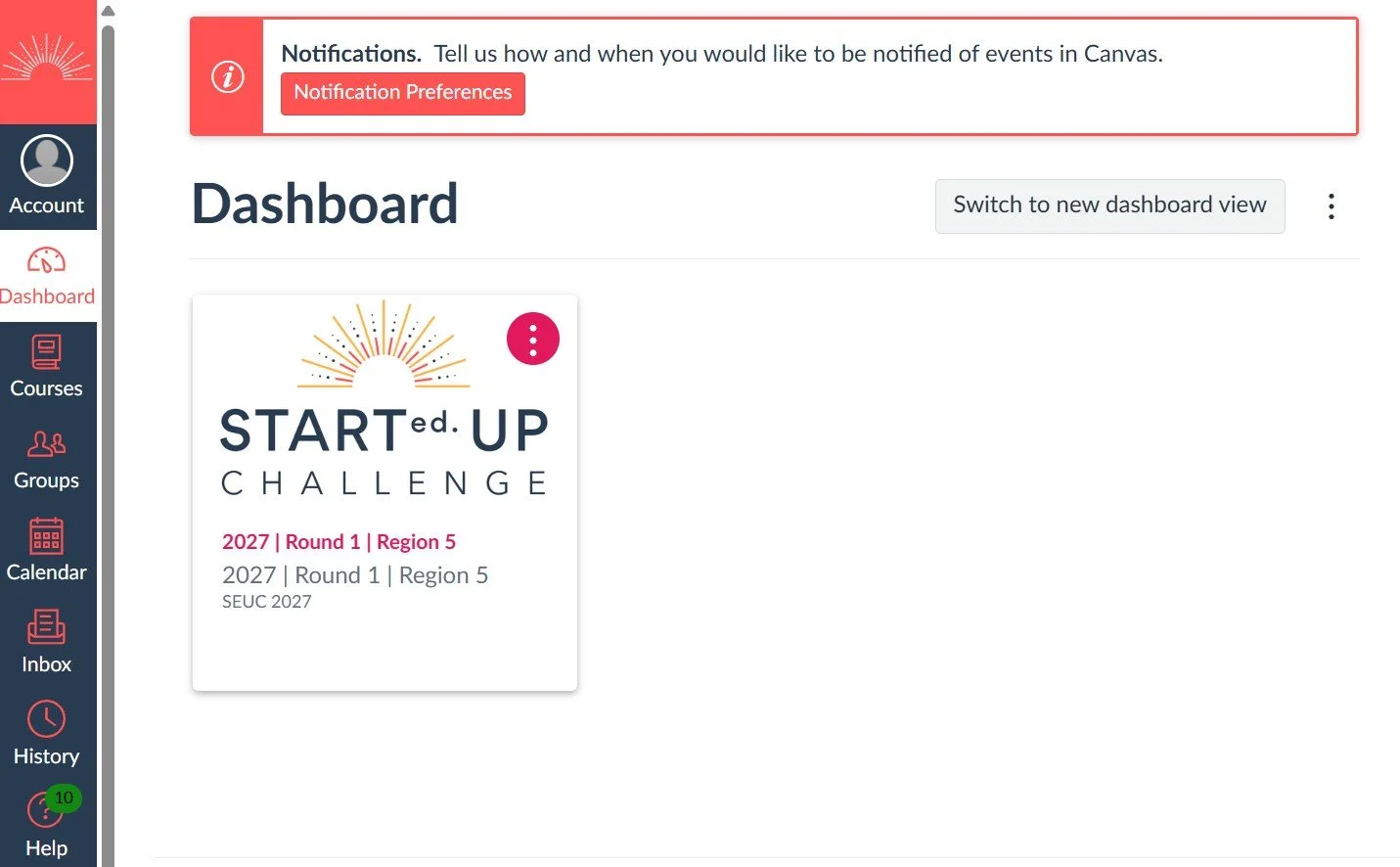
3. Once you’ve logged into your new account, you’ll see your “Dashboard” view. This is where you can view the STARTedUP Challenge course you enrolled in.
Now you’re ready to get started!
If you have waited more than 15 minutes and your invite never comes or if you have questions / issues, please email help@startedupfoundation.org
If you need to revisit the submission portal / companion course, you can go to https://startedup.instructure.com/